User Settings
Settings — opened from the profile menu at the bottom-left of the sidebar — is where you manage your personal slice of PebbleAI — things that apply to you, not the whole organisation. This is distinct from Organisation Admin, which is where administrators configure settings that apply across everyone.
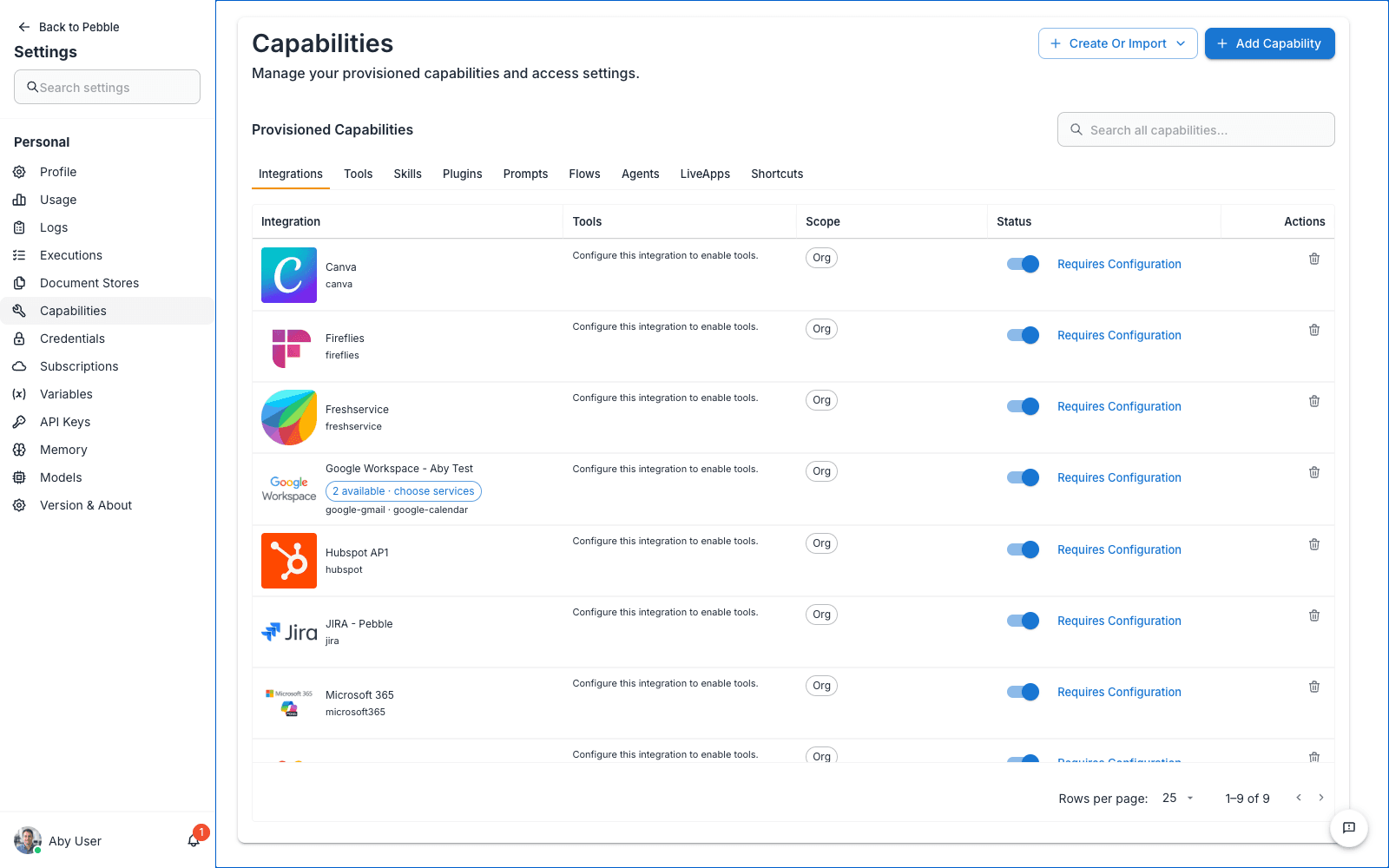
Most users will touch these settings occasionally — to add a personal API key, enable a new model your organisation has shared, or adjust how memory retrieval works. Power users will visit them more often.
In this section
| Page | What it’s for |
|---|---|
| Capabilities | Provisioned capabilities available to you — integrations, tools, skills, flows, agents |
| Credentials | Your personal API keys, tokens, and secrets for integrations |
| Variables | Global variables that can be reused across your flows |
| API Keys | Flows API keys for programmatic access from outside the app |
| Memory | Personal memory management — similarity threshold, max results, stored memories |
| Models | Enable models for your own account when your organisation allows personal provisioning |
| File Store | Your personal file space where skill outputs and canvas artifacts are stored durably |
Personal vs workspace vs organisation
A recurring pattern in PebbleAI is that many concepts exist at multiple scopes:
| Scope | Who sets it | Who sees it |
|---|---|---|
| Personal (this section) | You | Only you |
| Workspace | Workspace admins | Everyone in the workspace |
| Organisation | Organisation admins (see Admin) | Everyone in the organisation |
| Platform | Platform admins | Everyone on this PebbleAI install |
For example, credentials exist at personal and organisation level. Models exist at personal, organisation, and platform level. When there’s a choice, the narrower scope (personal) takes precedence but only applies to your own sessions — the broader scope is what others see.
How to find User Settings
Click your avatar at the bottom-left of the sidebar and choose Settings. The sidebar becomes a settings rail — a Back to Pebble button, a search box, and your Personal pages. Alongside the pages documented here you’ll also find your personal Usage, Logs, Executions, Document Stores, Subscriptions, and Version & About.
Admins see an Admin section beneath the personal one — that’s where the Organisation Admin console lives.