API Keys
API Keys on this page are Flows authentication tokens that let you call your chatflows and agentflows from outside PebbleAI — from your own backend code, from a CI pipeline, from a mobile app, or from any HTTP client.
Not the same as PebbleRouter API keys. Flows API keys (this page) authenticate calls to your own flows. PebbleRouter API keys (found in Admin → PebbleRouter) authenticate calls to the AI routing gateway and are configured by admins. Don’t confuse the two.
What this page is for
PebbleAI auto-generates a DefaultKey for every user, and you can add more as needed. Use them to:
- Call a published chatflow from your backend code
- Trigger an agentflow from a CI/CD pipeline
- Authenticate a mobile app that embeds a Flows chatbot
- Script batch operations against document stores
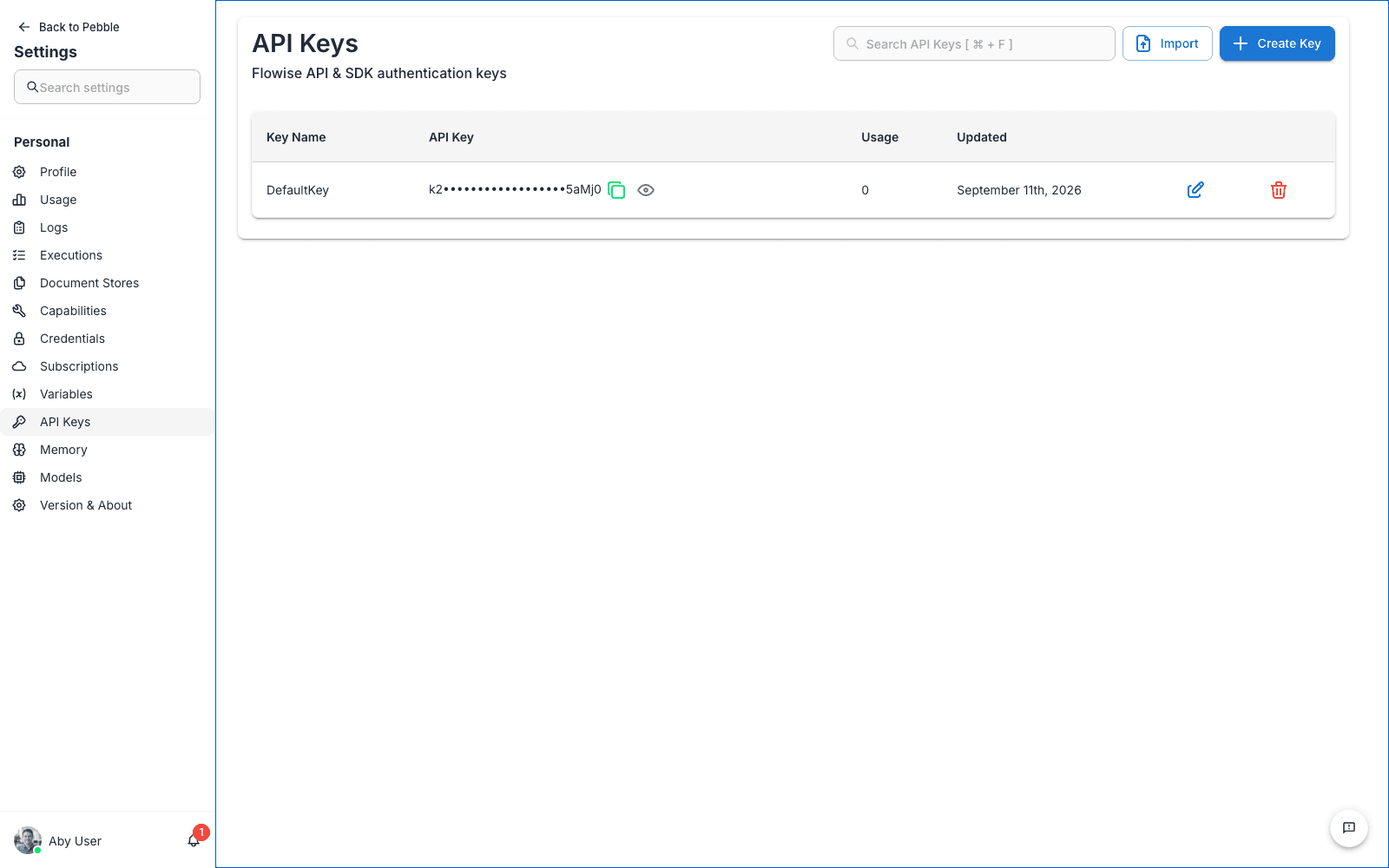
The table
Each API key has:
| Column | Meaning |
|---|---|
| Key Name | A friendly label. DefaultKey is the auto-generated one |
| API Key | The secret value (shown masked; click the copy icon to grab it) |
| Usage | How many requests have been made using this key |
| Updated | When the key was last modified |
Creating a new API key
- Click Create Key
- Give it a descriptive name —
Mobile App Prod,Zapier Integration,CI Pipeline Staging - Click Save
- The new key appears in the list with a value you can copy
Using an API key
Include it as a bearer token on requests to the Flows API:
curl -X POST https://demo.pebblecloud.io/api/v1/prediction/<flowId> \
  -H "Authorization: Bearer <your-api-key>" \
  -H "Content-Type: application/json" \
  -d '{"question": "Hello, flow!"}'
Replace:
<flowId>— the ID of the chatflow or agentflow you want to call<your-api-key>— the API key from this page
For full request/response details, see the Flows API Reference.
Rotating a key
Click the refresh icon on a key row to generate a new value. The old value stops working immediately, so make sure you’ve updated your client applications before you rotate.
Rotate regularly for keys used in production. Quarterly rotation is a good baseline. If you suspect a key has been leaked, rotate immediately.
Deleting a key
Click the delete icon and confirm. Any application using that key will start getting 401 errors on its next request.
Scope of these keys
- API keys on this page authenticate as you. Every request made with one of your keys runs with your permissions.
- Keys are user-scoped, not workspace-scoped. If you leave the organisation, your keys are deleted with your account.
- The keys are not SSO-aware. They bypass SSO and give direct API access, so they should be treated as sensitive.
When you need more than a personal API key
For organisation-wide use (e.g. a flow that every team in the org should be able to call), ask your admin to create an organisation-scoped API key. Personal keys are fine for your own tools and prototypes, but they break if the user who owns them leaves.